Product Catalog
Products form the foundation of inventory tracking. To add a product to stock, it must first be defined in the system.
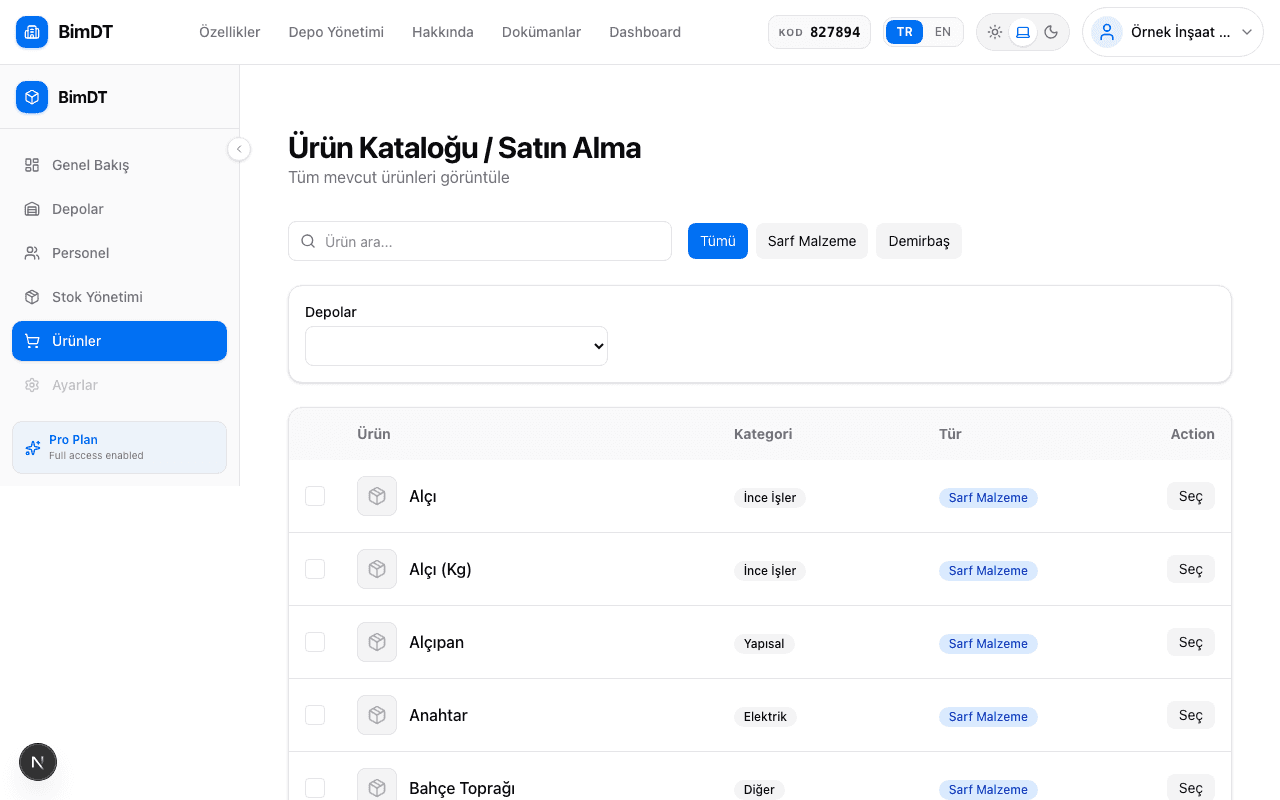
Global Catalog and Company Products
| Type | Who Adds? | Who Sees? |
|---|---|---|
| Global Product | Platform administrator | All companies |
| Company Product | You (company user) | Your company only |
Product Types
Consumable
Products that deplete with use
Examples: Nails, screws, paint, cable, cement, sand
Fixture
Loaned and returned
Examples: Drill, helmet, measuring device, safety harness
Product Categories
| Category | Example Products |
|---|---|
| Construction | Brick, iron, concrete, sand |
| Paint | Paint, primer, thinner, roller |
| PPE (Personal Protective Equipment) | Helmet, gloves, hard hat, goggles |
| Tools | Drill, screwdriver, hammer, cutter |
| Machinery | Crane, compressor, generator |
| Other | Products that don't fit the above categories |
Adding a New Product
- 1
Go to the Products page
Click the Products menu in the left sidebar.
- 2
Click the Add Product button
Click the Add Product button in the top right corner of the page.
- 3
Enter product details
Field Required? Description Product Name (Turkish) Yes Turkish name of the product Product Name (English) No For English-language users Type Yes Is it a Consumable or Fixture? Category Yes Which category does it belong to? It is recommended to enter names in both languages — this way product names display correctly when you switch languages. - 4
Click the Save button
Once the product is saved, it will be available to add stock on the Inventory page.
Sıkça Sorulan Sorular
Can a product be both Consumable and Fixture?
No, each product can only be defined in one type. If you want to use the same physical product in different types, create two separate product records.
Can I edit a product in the global catalog?
No, global products are managed by the platform administrator. You can create a company product for your own needs.
What happens if I don't enter an English name?
The Turkish name will be shown when the English interface is selected. The application continues to work.