Dashboard — Overview
The Dashboard is the main screen you see when you log in to the system. It shows a summary of all important data for your company on a single screen.
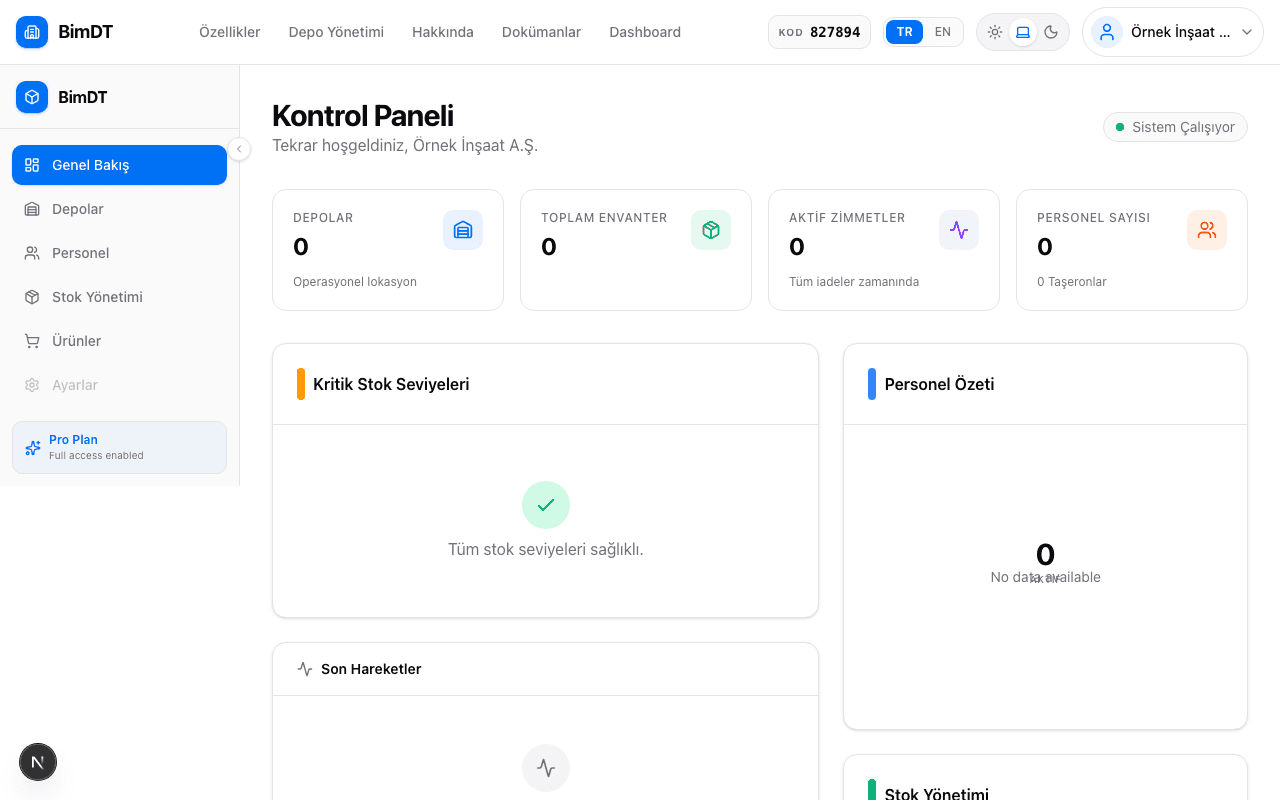
System Status
The operating status of the system is shown at the top of the page. If you see "System Operational" in green, everything is working fine.
Summary Cards
There are 6 statistics cards in the upper section of the page:
| Card | What It Shows |
|---|---|
| Total Inventory | Total number of stock items registered in the system |
| Active Faults | Number of currently active faults or issues |
| Active Loans | Number of fixtures issued to personnel and not yet returned |
| Personnel | Number of active personnel |
| Warehouses | Number of defined warehouses |
| Operational Locations | Number of active construction sites or locations |
Low Stock Alerts
Products that have dropped to a critical level in your inventory are listed in this section. Information displayed:
- Product name
- Current quantity and unit
- Which warehouse it's in
- Alert color (red = urgent)
Personnel Distribution
A pie chart showing the distribution of employees registered in your Personnel module as Internal Staff and Subcontractor .
Inventory Distribution
| Type | What It Means |
|---|---|
| Consumable | Products that deplete with use (nails, paint, cable, etc.) |
| Fixture | Products that are loaned and returned (drill, helmet, etc.) |
Overdue Returns
Asset loans with a past return date are listed in red in this section. Each row shows: product name, assigned personnel, issue date, expected return date, and days overdue.
Recent Transactions
The most recent stock movements, asset loan transactions, and other records performed in the system appear in this activity feed.
Damage / Waste Summary
A card in the left column shows a summary of this month's damage and waste notifications. The red box shows damage reports and the orange box shows waste reports submitted this month. The last 5 reports are listed below the counters. Use the "View All" link to navigate to the full Damage / Waste Reports page.
Sıkça Sorulan Sorular
All cards show zero, is the system working?
Yes, the system is working. No data has been entered yet. First define warehouses and products, then add stock.
When does the low stock alert appear?
When the stock quantity drops below the minimum threshold set for the product, it appears in this section.
How is the overdue returns list cleared?
When you complete the asset loan return process, that record is automatically removed from the list.