First Login & Getting Started
Once your company is approved, you can log in and start using the system. This page explains what you will see on first login and where to begin.
Logging In to the System
- 1
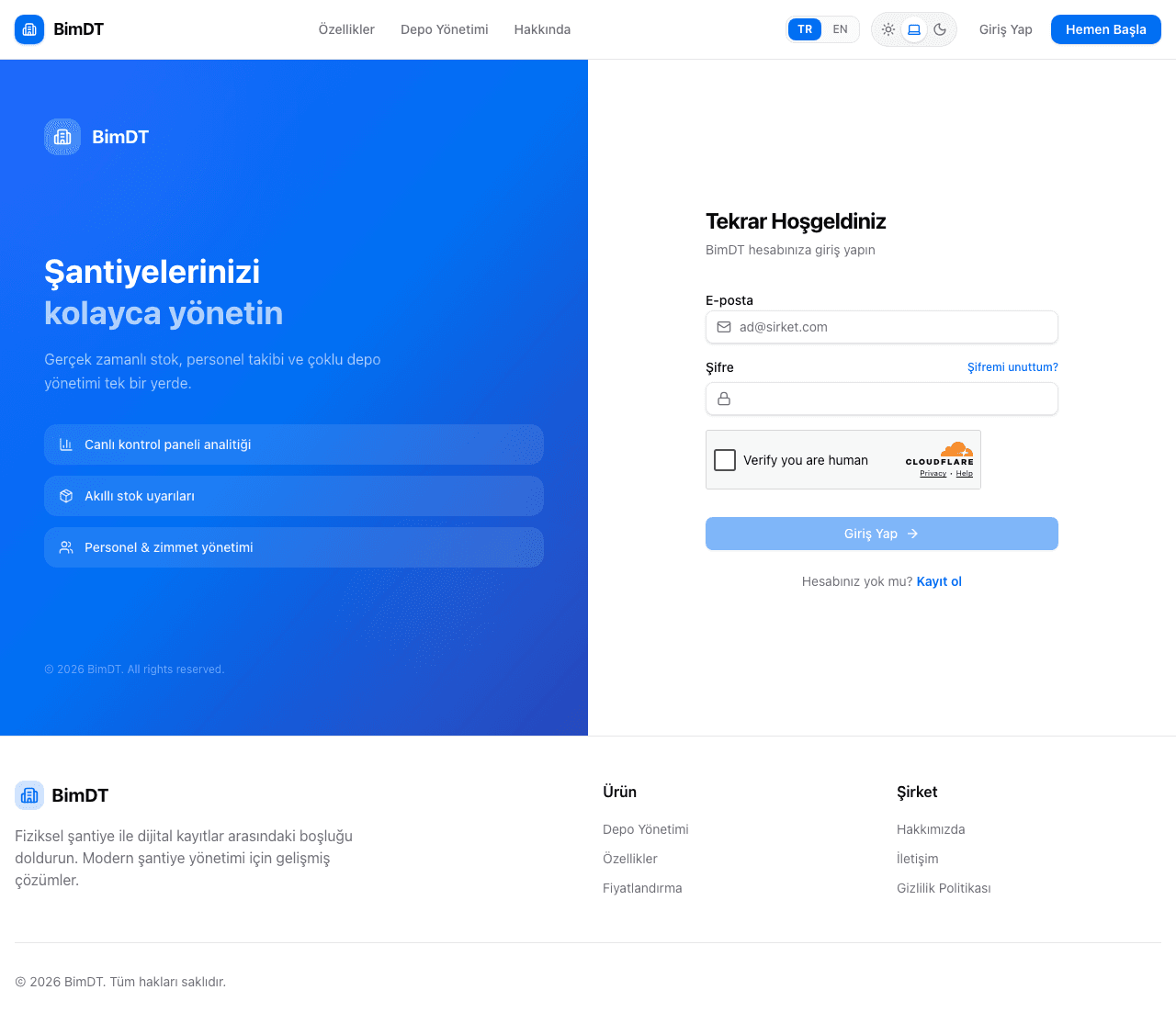
Open the login page
Click the Log In button in the top right corner.
- 2
Enter your email and password
Enter the email and password you used during registration.
- 3
Complete the security verification
Click the CAPTCHA checkbox.
- 4
Click the Log In button
On successful login you are redirected directly to the Dashboard (Main Panel) screen.
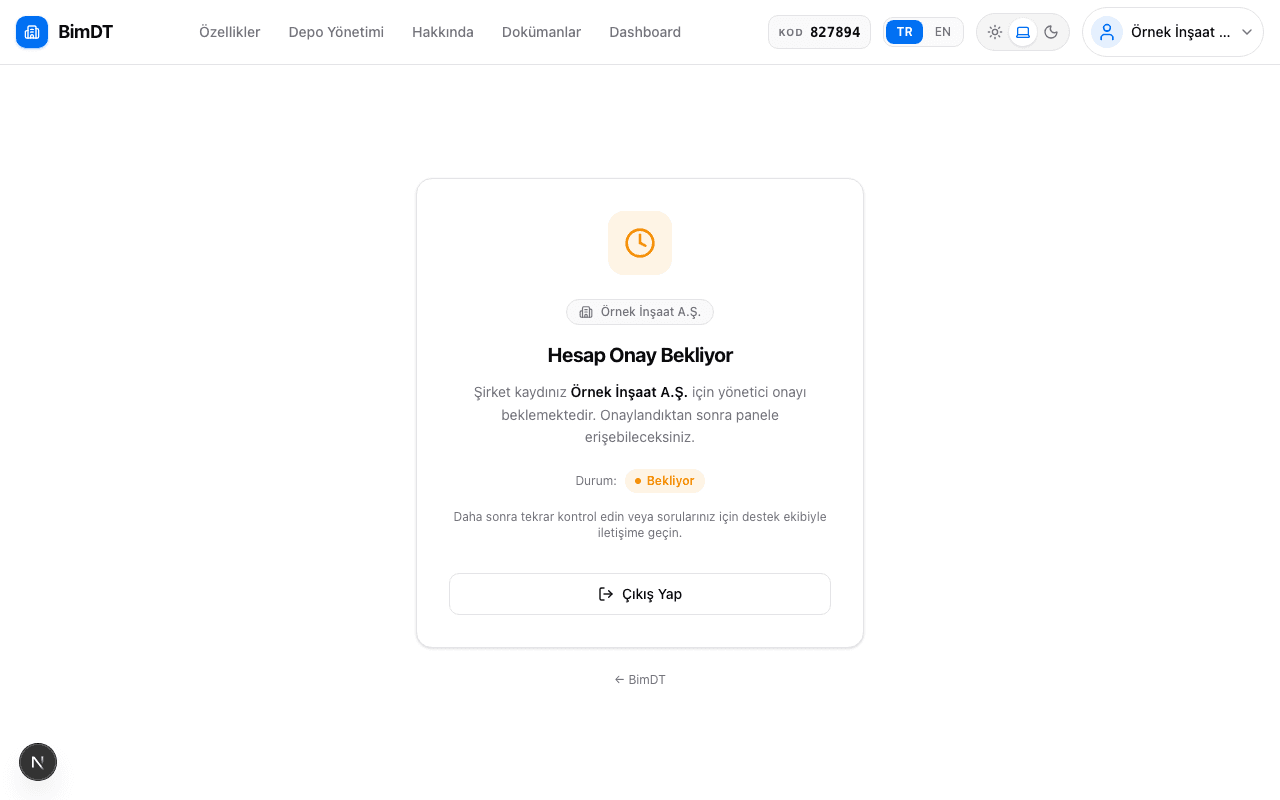
Pending Approval Screen
If your company has not yet been approved, after logging in you will see the "Pending Approval" screen.
Sidebar Navigation
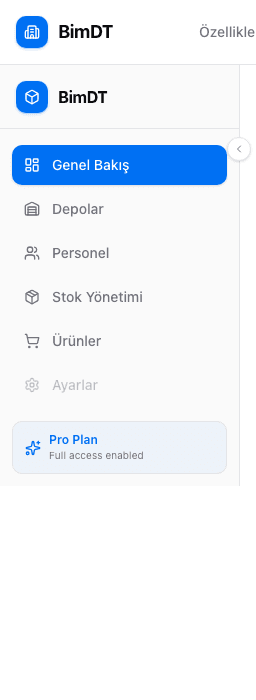
On the left side of the screen there is a navigation bar. From here you can access all system modules:
| Menu Item | What It Does |
|---|---|
| Overview | Main dashboard — all summary information |
| Warehouses | Warehouse creation and management |
| Personnel | Employee and subcontractor management |
| Inventory | Stock entry and tracking |
| Products | Product catalog and purchasing |
Recommended Starting Order
If you're using the system for the first time, we recommend following this order:
Changing Language and Theme
| Setting | How To |
|---|---|
| Change language (TR/EN) | Click the language selector in the top right corner |
| Change theme (Light/Dark) | Click the sun/moon icon in the top right corner |

Sıkça Sorulan Sorular
I'm logging in but the "Pending Approval" screen appears, what should I do?
Your company has not yet been approved. Contact the platform administrator.
I forgot my password, what can I do?
Click the Forgot Password link on the login page and enter your email address.
The security verification box isn't appearing when logging in, why? (CAPTCHA)
The page may not have fully loaded. Refresh the page and try again.
The sidebar disappeared, how do I bring it back?
Move your mouse to the left edge of the screen or click the small arrow icon.