Create Account
To start using the system, you first need to create a company account. This process takes about 2 minutes.
Registration Steps
- 1
Open the registration page
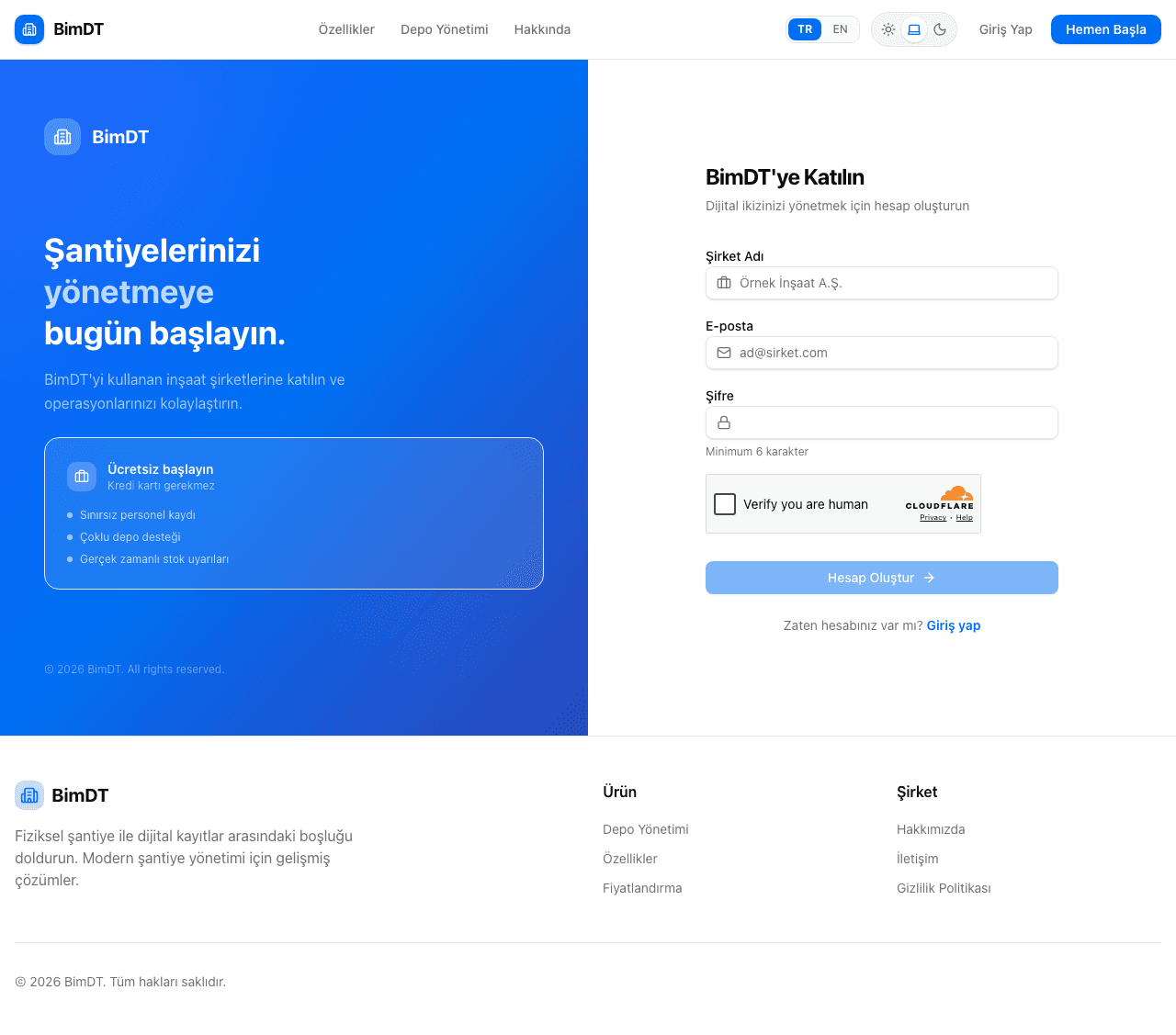
Click the Get Started button in the top right corner or go directly to the registration page. Get Started
- 2
Enter your company details
Field Description Company Name Your company's full name (e.g. "ABC Construction Inc.") Email Your work email used to log in Password At least 6 characters, choose a strong password Enter your email address carefully. You will use this address to log in to the system.The company name will be visible throughout the system and changing it requires contacting the platform administrator. - 3
Complete the security verification
A security verification (CAPTCHA) will appear at the bottom of the form. "I'm not a robot" checkbox or complete the required task.
The Register button won't be active until CAPTCHA is completed. This is a normal security measure. - 4
Click the Register button
Once all fields are filled in, click the Register button. Register
What Happens After Registration?
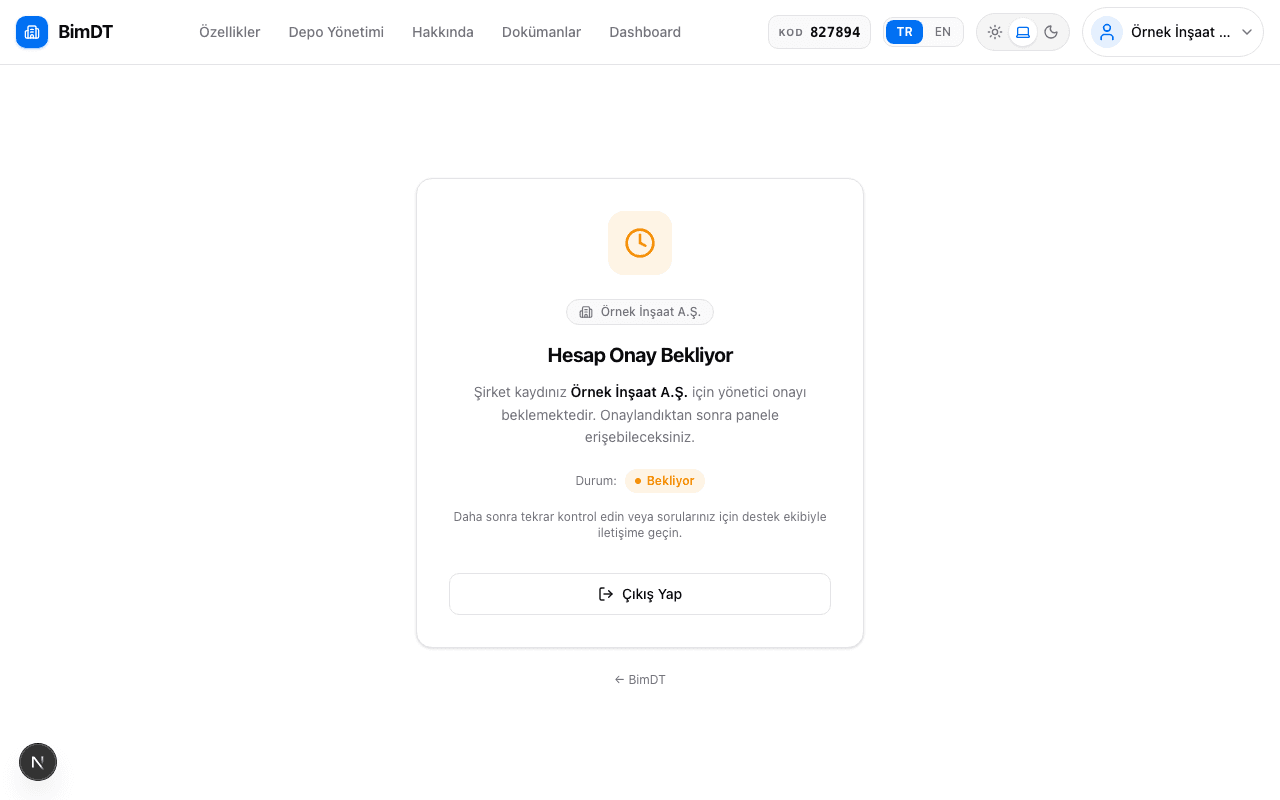
If registration is successful, you will be automatically redirected to the "Pending Approval" screen.
Once the platform administrator reviews and approves your company, you can start using the system.
Things to Keep in Mind
- You cannot create two accounts with the same email.
- One account should be created per company. Multiple employees at the same company access through a single account.
- Do not share your password with anyone.
Sıkça Sorulan Sorular
I'm getting an "Email already registered" error, what should I do?
This email address has already been used for registration. Go to the login page and try the password reset option.
Why can't I log in immediately after registering?
Your account needs to be approved by the platform administrator to gain access to the platform. This is a required step to ensure platform security.
How long will approval take?
Approval time depends on the platform administrator. For urgent matters, you can contact your administrator.
The password field isn't showing in the registration form, is that normal?
Yes, passwords are hidden for security reasons. This is normal.